


Give Every Upsell a Merchandising Brain
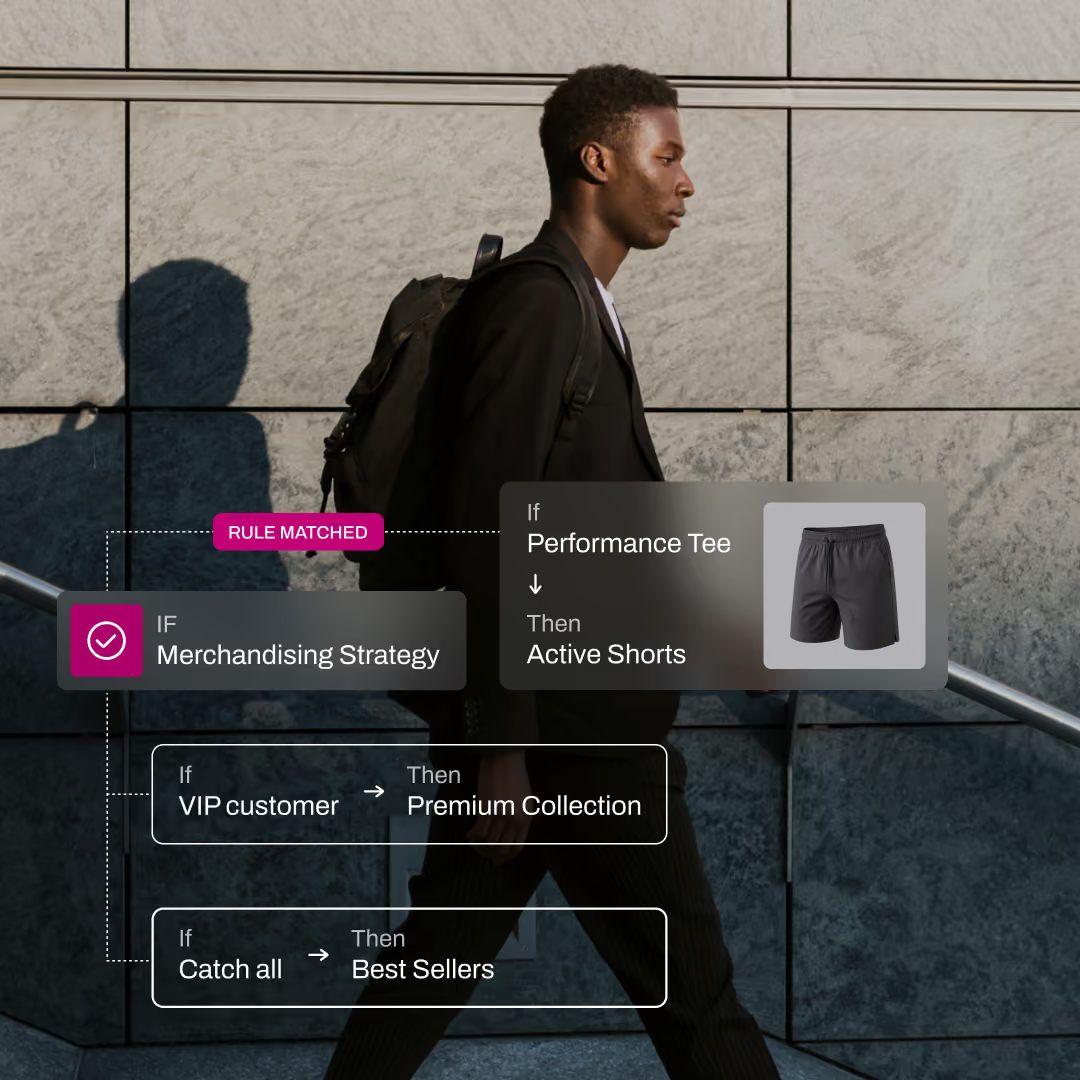
Use real-time shopper, product, and cart context to decide exactly what to recommend. Apply your strategy across product pages, cart, checkout, and post-purchase.



.png)
.svg)
.png)
.png)
RULES TO REVENUE
How Strategies Work
01
Define the context
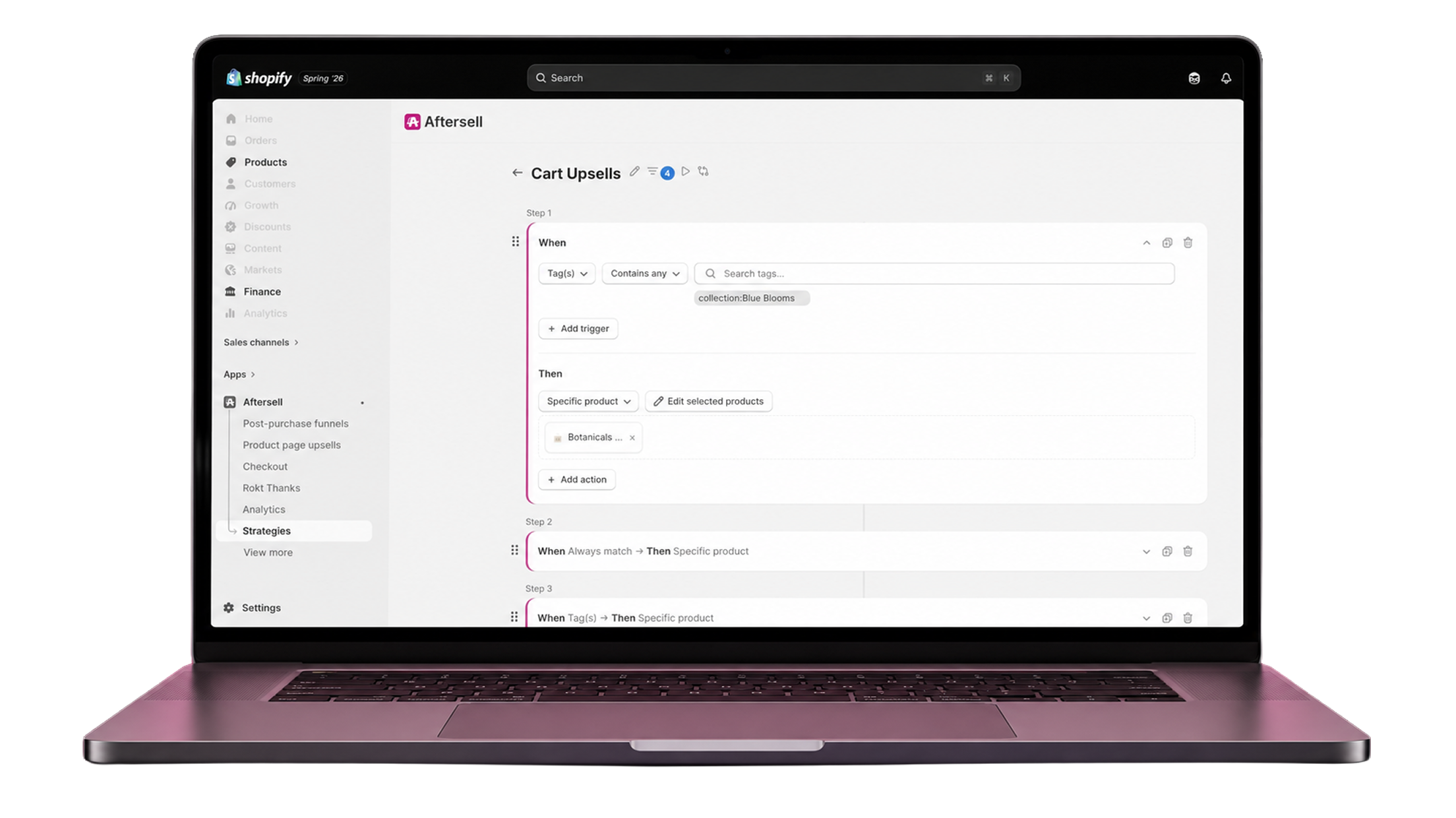
Choose the shopper, product, cart, location, campaign, or timing signals that should trigger your rule.
02
Choose what to recommend
Return individual products, collections, products sharing specific attributes, popular products, recent purchases, or AI-generated recommendations.
03
Set your priorities and fallbacks
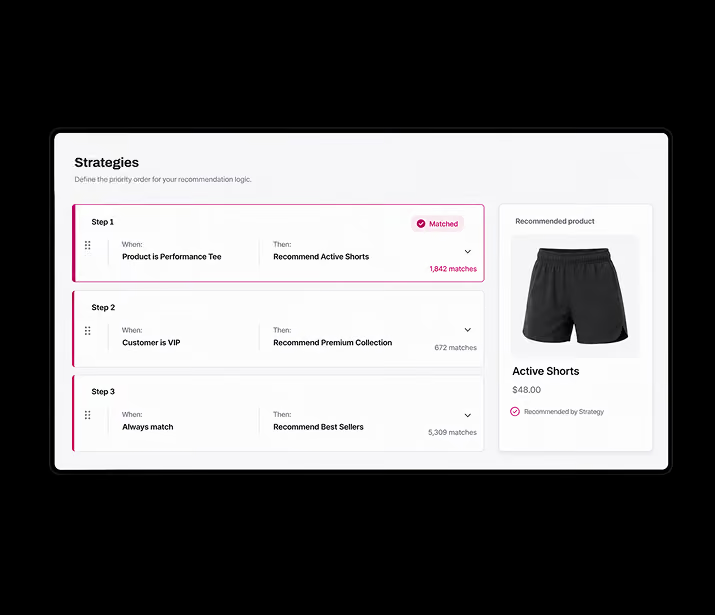
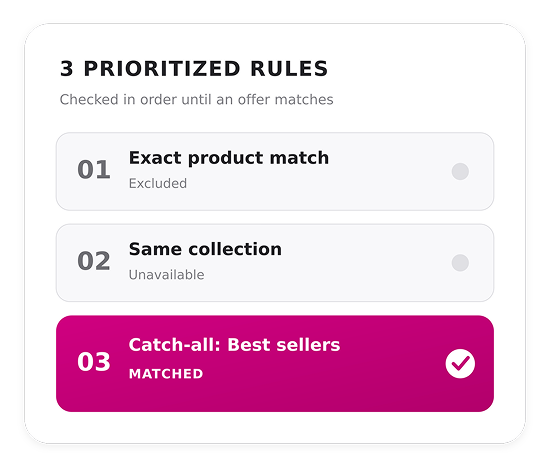
Arrange rules in the order they should be evaluated. Add exclusions and a catch-all rule to prevent empty recommendation slots.
04
Connect it to your store
Attach the Strategy to an Aftersell offer or use the Strategies API to power a custom storefront experience. Aftersell evaluates the context and returns the products that should appear.
Smarter Merchandising
Decide Your Own Logic
You decide what should be recommended. Strategies determines when and where to show it. Create a reusable set of merchandising rules. Aftersell evaluates each shopper’s real-time context, determines which rules apply, and returns the right products.
Catalog Control
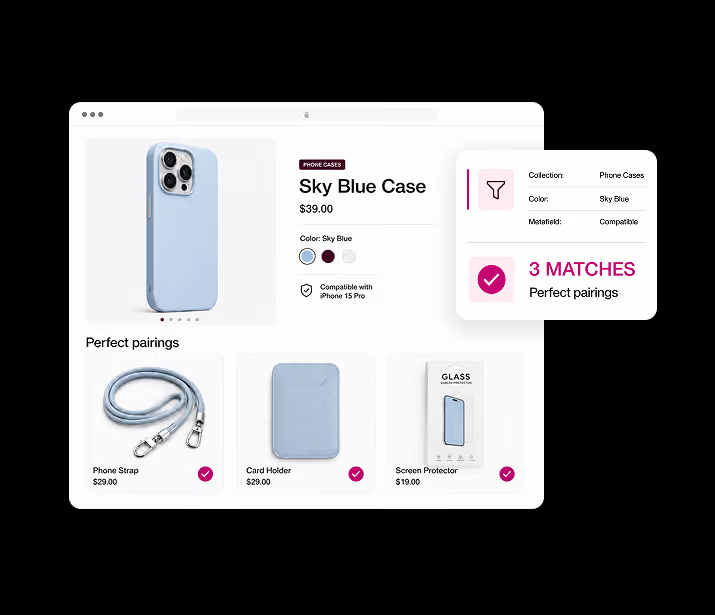
Complex Catalogs Become Precise Pairings
Get exact control over which products appear, when they appear, and what they appear alongside. Build different routines, sets, and product combinations around collections, tags, metafields, customer data, and more.
BUILD ONCE
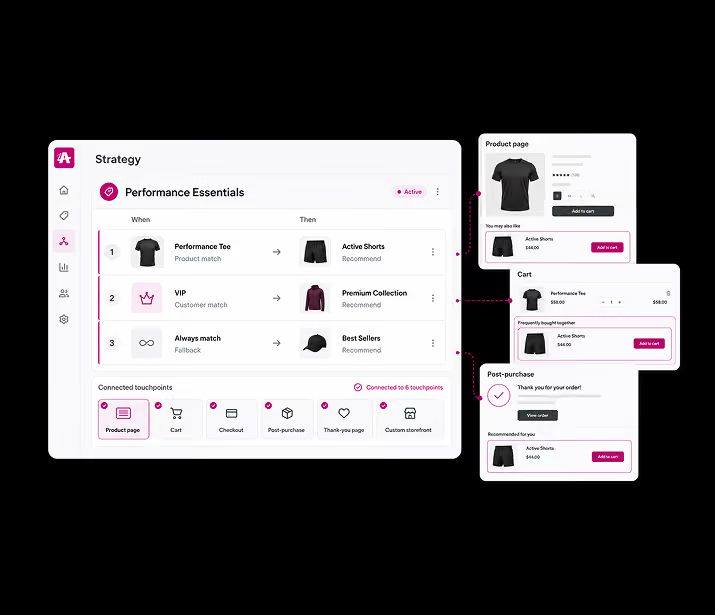
Your Best Merchandising Logic Everywhere
Build your strategy once, then use it as the product source for multiple touchpoints across your store.
- Product pages
- The shopping cart
- Checkout
- Post-purchase offers
- Thank-you pages
- Custom storefront experiences
EASY FALLBACKS
Never Lose an Offer
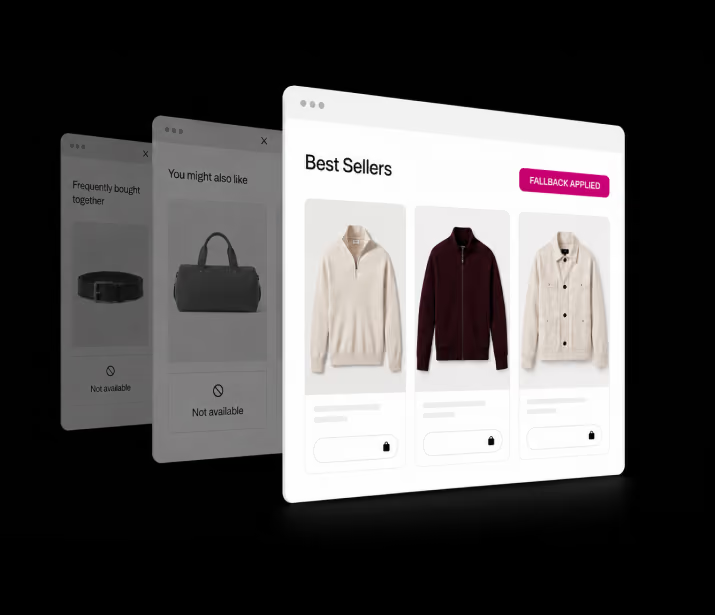
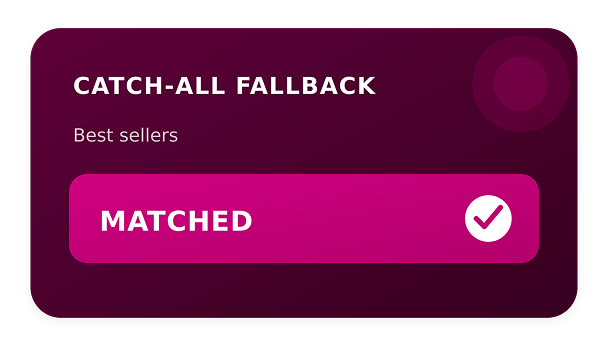
Create a prioritized hierarchy of rules, then add a catch-all fallback. When the first recommendation can’t be shown, Strategies automatically moves to the next eligible option. If no rules match, your fallback can return a proven bestseller, collection, or AI recommendation.
TEST AND OPTIMIZE
Always Use The Best Product Logic
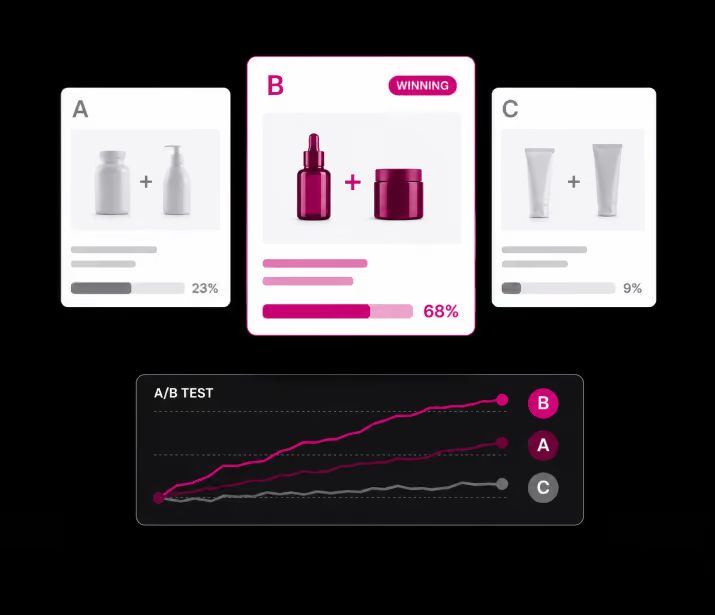
Compare Strategy-driven offers inside Aftersell’s A/B and multivariate testing tools to learn which product pairings, recommendation rules, and fallback structures generate the strongest results.
FLEXIBLE TRIGGERS
Build Rules Around Signals That Matter
Rules can be dynamically customized to execute specific actions based on a wide range of product or shopper criteria:

Products, collections, or tags currently in the shopper's cart.

The specific product page the shopper is actively browsing.

Customer identity tags, like VIP.

Cart subtotal thresholds.

Predictable URL parameters, such as tracking specific UTM sources.

Location data, shipping country, or time of day.


True Classic reduced its offer no-show rate from 15% to 2% with Aftersell Strategies.
True Classic’s hard-coded product rules caused offers to disappear when products conflicted with exclusions. With Aftersell Strategies, the team added smarter fallback paths that preserved its merchandising rules while keeping relevant offers in front of more shoppers.

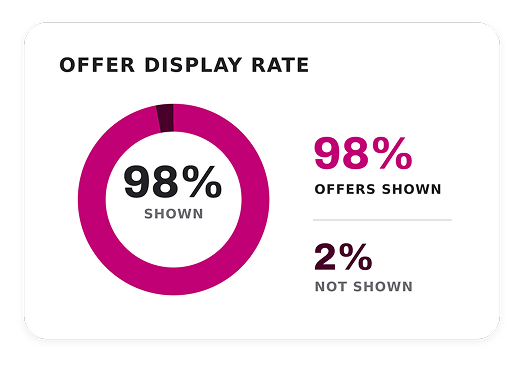
98%
of checkouts now receive a product recommendation.
2%
offer no-show rate, down from 11% before Strategies.
9
percentage-
point
improvement in checkout offer coverage within one month.

"I’m no longer stuck. Strategies gives us the flexibility to adjust the rules and solve situations we couldn’t solve before. I can work around the problem, protect the customer experience, and keep the offer live.”
Jorge Correa
Site Operations and Merchandising Manager at True Classic
FAQs
No. You can build and launch a Strategy in just a few clicks from the Strategies tab in the Aftersell app. No code or developer support is required.
Strategies can be used wherever products are selected across Aftersell’s product surfaces, including checkout, post-purchase, and thank-you page experiences. You can also call the Strategies API directly to power custom-built experiences.
Use a Strategy when you need more dynamic control over which products are recommended. Unlike static offers, Strategies can automatically select the most relevant products based on the rules, filters, and merchandising logic you define.
Yes. Strategies include a wide range of global filters that let you exclude specific products or groups of products from being selected.
No. Funnel triggers control when and how the overall funnel experience is presented, including upsell and downsell flows, layouts, and other display logic. Strategies work alongside those triggers to control product selection and merchandising within the funnel.